Analysts: How an Inspectable AI Analytics Assistant Saves Hours
A governance-first guide for data analysts and BI pros: use inspectable AI analytics assistants to validate outputs, run a tight pilot, and measure time...

Analysts: How an Inspectable AI Analytics Assistant Saves Hours
An AI analytics assistant is software that lets you query data in plain English and get back generated SQL, charts, forecasts, or anomaly flags instead of writing every query by hand. It’s built for data analysts and BI professionals who need faster exploratory analysis without giving up the ability to check the work. The main payoff: hours of manual querying compressed into minutes, with an inspectable trail behind every answer.
TL;DR:
- AI analytics assistants perform best on well-structured, indexed datasets, delivering results in seconds but can slow down or produce errors with large, poorly modeled data.
- Always validate AI-generated queries against known data and keep a record of manual fixes to identify recurring issues and improve trust.
- Inspectability and governance features, such as editable SQL and clear confidence scores, are crucial for trusting and effectively implementing these tools.
- Integration points like embedded warehouse or BI tools impact response speed and access controls, requiring careful setup for security and performance.
- Starting with a small, validated pilot on familiar data ensures team trust and measurable efficiency gains before wider adoption.
Table of Contents
- How Does an AI Analytics Assistant Actually Work?
- What Can You Actually Do With One Day to Day?
- How Do You Connect an Assistant to Your Warehouse and BI Stack?
- What Should You Check Before Choosing a Tool?
- Where Do These Tools Break, and How Do You Guard Against It?
- Where Paid Lens Fits for Performance Marketing Analytics
- What I’d Prioritize Adopting This Technology in 2026
- See What Ranked Recommendations Look Like on Your Own Campaigns
- Sources
- FAQ
How Does an AI Analytics Assistant Actually Work?
Most tools in this category sit on generative AI and machine learning: a language model interprets your question, maps it to your schema, and produces a query or a summary. Some pair that with AutoML to suggest forecasting models without you specifying parameters manually.
The capabilities that matter for daily work include:
- Natural-language querying against warehouse tables, no SQL required to get a first answer
- Automatic SQL or Python generation you can read before running it
- Exploratory data analysis (EDA) summaries that flag outliers, correlations, and missing data
- Forecasting and anomaly detection layered on historical trends
- Automated report generation with narrative summaries attached to the numbers
Speed and accuracy depend heavily on dataset size and how the tool is built. A model-backed assistant querying a well-indexed warehouse table returns results in seconds; the same assistant against a sprawling, poorly modeled dataset can take much longer and produce shakier joins. Google Cloud’s documentation on AI-driven analytics notes that tools built to run close to the warehouse handle data cleaning, SQL generation, and anomaly detection with far less lag than bolt-on assistants that pull data through extra layers first.
What Can You Actually Do With One Day to Day?
The use cases cluster into four buckets, and most analysts end up touching all four within a week.
- Faster exploratory analysis. Ask for a summary of a new dataset and get back distributions, likely segments worth splitting on, and a first-pass chart, all before you’ve opened a notebook.
- Query and code generation. You describe the join or aggregation you need in a sentence, the assistant drafts the SQL or Python, and you edit rather than write from scratch. This is where artificial intelligence data analysis tools save the most measurable time, since prototyping a query used to mean several edit-run cycles.
- Recurring reporting. Weekly or monthly reports that used to eat a Monday morning get generated automatically, with a plain-English narrative layered on top for stakeholders who don’t read pivot tables.
- Prescriptive suggestions and forecasting. Beyond describing what happened, some assistants rank what to look at next, sequenced by expected impact, and extend historical trends into a forecast window.
Microsoft’s Copilot integrations inside Excel and Power BI are a clear example of the third and fourth buckets working together. Analysts can run what-if scenarios and get narrative summaries generated automatically for a non-technical audience, which cuts out a whole layer of translation work that used to fall on the analyst.
Pro Tip: Run the assistant against a dataset you already know cold before trusting it on unfamiliar data. If it misreads a join or mislabels a segment on data you understand, you’ll catch it. On unfamiliar data, you might not.
How Do You Connect an Assistant to Your Warehouse and BI Stack?
Integration usually happens at one of four points: the data warehouse itself, a BI dashboard layer, a notebook environment, or the ETL pipeline feeding all three. Where the assistant sits changes what it can see and how fast it responds.
- Embedded in the warehouse (like BigQuery Studio) means the assistant queries data where it lives, cutting latency and keeping data residency simple.
- Cloud-hosted, connected via API works across multiple sources but adds a hop, and you need to confirm what leaves your environment.
- In-console, inside your BI tool keeps the workflow familiar but may limit the assistant to whatever that tool already indexes.
Authentication typically mirrors your existing warehouse permissions. The assistant should inherit row-level and column-level access controls rather than getting a blanket service account, since a broad account defeats the point of governance.
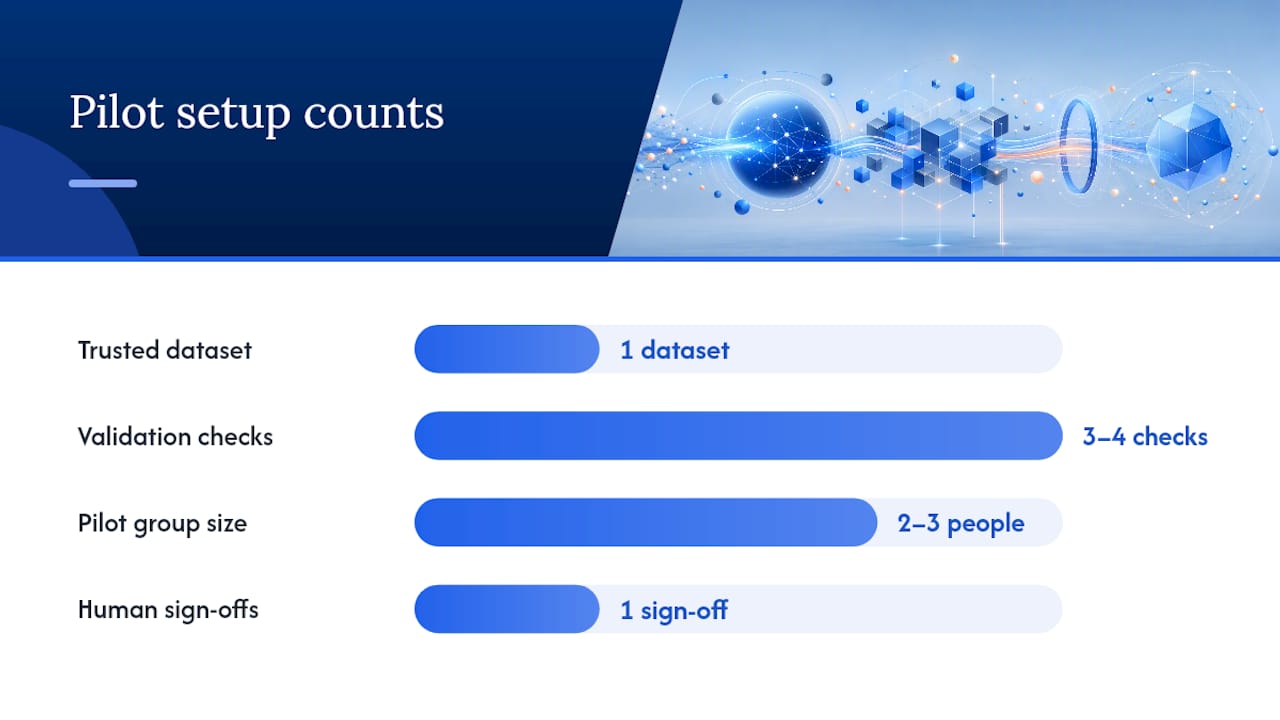
A sensible pilot: pick one dataset your team already trusts, define three or four validation checks (row counts, known aggregates, a couple of business rules), and roll it out to a two- or three-person group before opening it wider. Intuit’s guidance on starting with a narrow, inspectable pilot before scaling matches what most successful rollouts look like in practice: small dataset, tight validation, human sign-off before anything touches a dashboard stakeholders see.
What Should You Check Before Choosing a Tool?
Procurement conversations for this category tend to skip the boring criteria and jump straight to features. That’s backwards. The boring criteria are what determine whether analysts trust the output enough to actually use it.
- Inspectability. Can you see the generated SQL or Python before it executes, and edit it if something looks off?
- Explainability. Does the tool attach a confidence score or a plain-English rationale to its suggestions, or just hand you an answer?
- Governance. Are lineage, access controls, and audit logs built in, or bolted on after the fact?
- Integration breadth. Does it connect to your warehouse, your CRM, and whatever ad or revenue platforms feed your reporting?
- Cost structure. Subscription, per-seat, or usage-based tiers each carry different risk if usage spikes unexpectedly.
Advanced users consistently name the first item, inspectability, as the deciding factor. A recent preprint on trust in generative-model outputs found that practitioners are far more willing to act on AI-generated code when they can preview and edit it before it runs, rather than trusting a black-box result. Studies also show AI-assisted forecasting can beat manual methods on accuracy, but only when someone is still checking the inputs.
Where Do These Tools Break, and How Do You Guard Against It?
Every assistant in this category fails the same few ways. Hallucinated column names on an unfamiliar schema. Incorrect joins that quietly double-count rows. Aggregations that look right but sum the wrong grain. Forecasts built on a model that went stale three data refreshes ago.
None of that means the category isn’t worth using. It means you treat every output as a draft, not a delivery.
- Sample-check a handful of AI-generated rows against a manual pull before trusting a new query type.
- Run regression checks whenever the assistant’s underlying model or connector updates.
- Set anomaly alerts on the metrics that feed executive reporting specifically, since errors there are the costliest to catch late.
- Keep a rollback path: version your dashboards and reports so a bad AI-generated change is one click from reverting.
Intuit’s own guidance is blunt on this point: treat AI outputs as a starting point analysts validate, not a final answer they publish. That’s not a knock on the technology. It’s the same discipline you’d apply to a junior analyst’s first draft.
Pro Tip: Keep a running log of every AI-generated query that needed a manual fix. After a month, patterns emerge, usually around specific tables or join types, and that log becomes your onboarding doc for the next hire.
Where Paid Lens Fits for Performance Marketing Analytics
Paid Lens applies this same governance-first approach to performance marketing data specifically. It connects your ad platforms, validates data quality, and ranks recommendations by expected impact and confidence score, with an AI analyst you can query in plain language. Every suggestion carries evidence you can inspect before you act on it, which is the same trust standard analysts should demand from any AI analytics assistant. You can review the attribution capabilities directly.
What I’d Prioritize Adopting This Technology in 2026
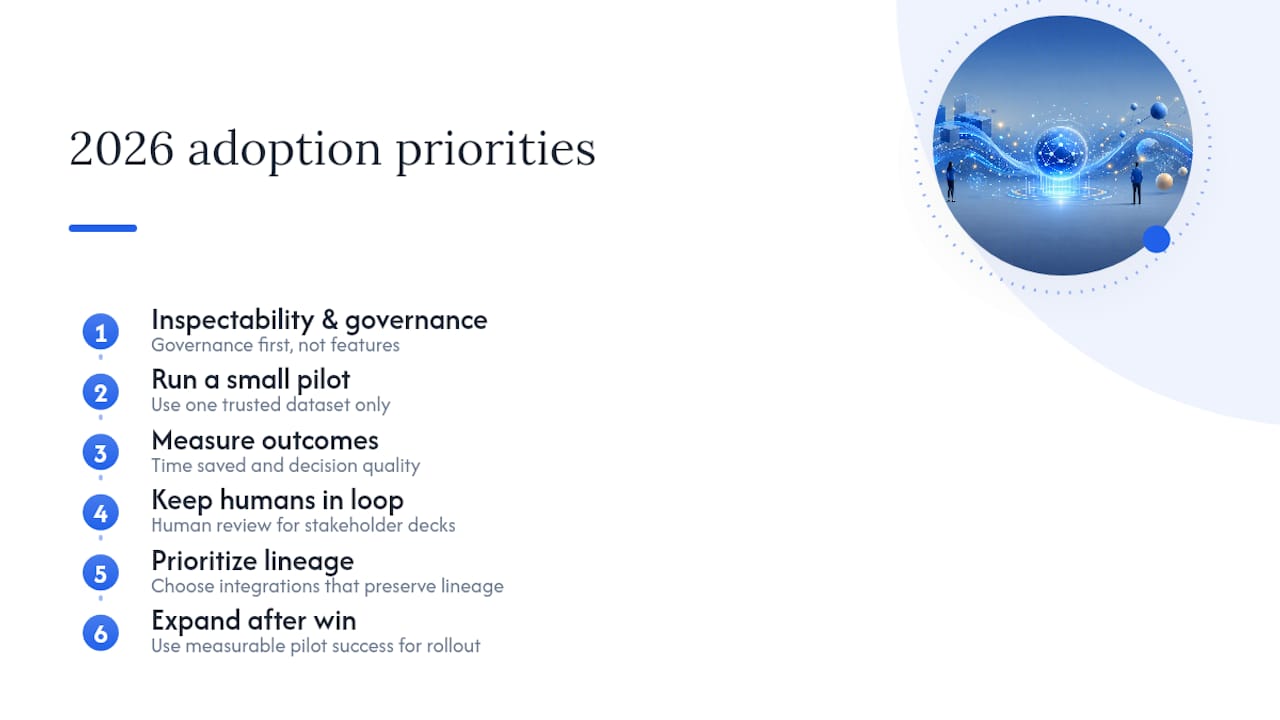
Start with inspectability and governance, not features. Run a small pilot on one dataset your team trusts, measure time saved and whether decisions actually got better, then expand. Skip that sequencing and you end up with a flashy tool nobody fully trusts by month three.
Keep human judgment in the loop on anything that reaches a stakeholder deck. Prioritize integrations that preserve lineage over ones that just look impressive in a demo. Once a pilot shows a real, measurable win, that’s your case for team-wide rollout, not the vendor’s sales deck.
— Shraddha
See What Ranked Recommendations Look Like on Your Own Campaigns
If you’re already sold on what a good AI analytics assistant should do, inspectable logic, confidence scores, no black-box answers, Paid Lens applies exactly that standard to paid media specifically. Instead of dashboards you still have to interpret yourself, you get a ranked queue of recommendations tied to expected business impact, pulled from every ad platform you run, standardized and validated before it ever reaches you.
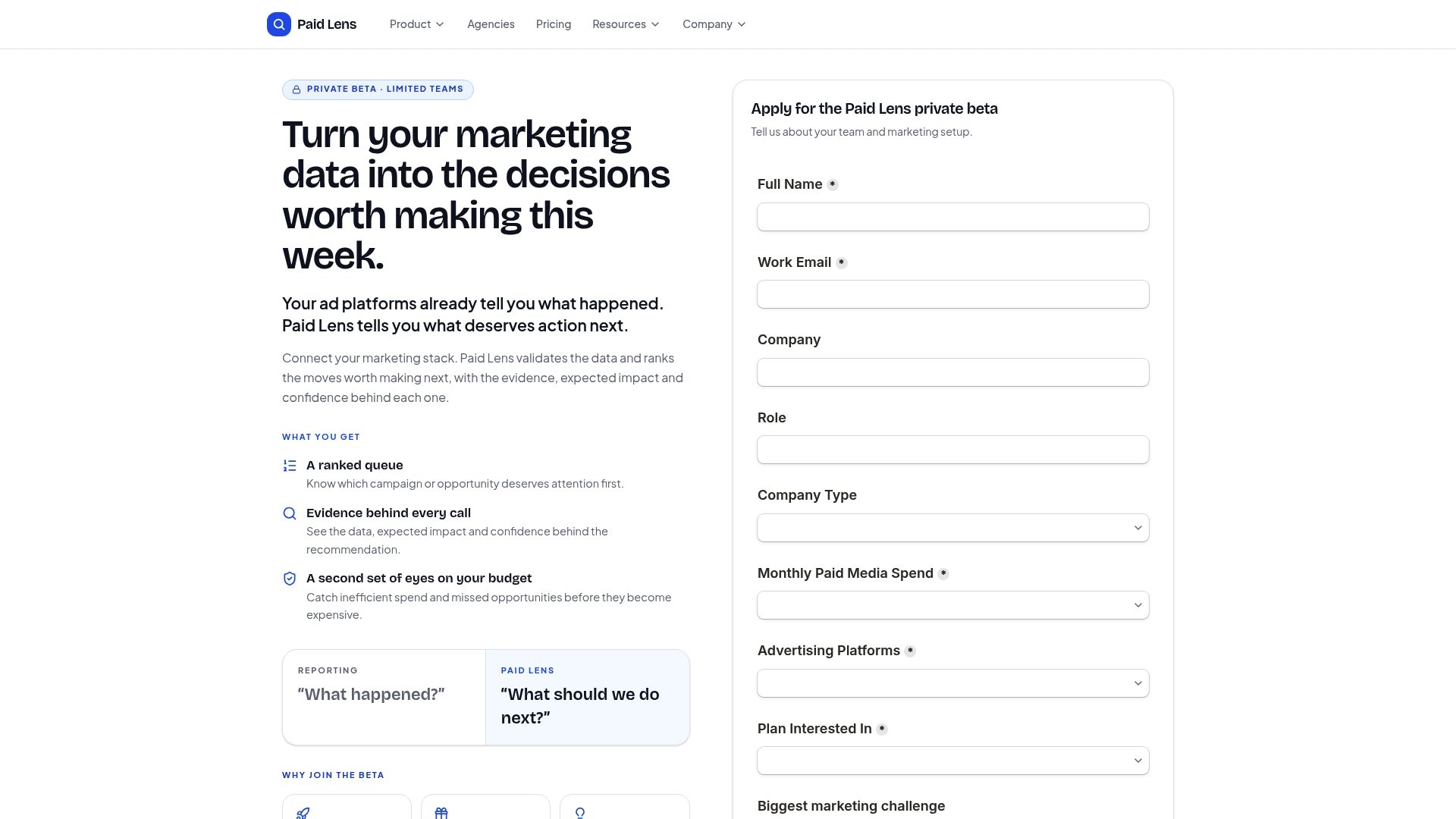
Marketing teams juggling budgets across multiple platforms spend real hours reconciling conflicting numbers before they can even start analyzing using AI for marketing teams to plan, write, and launch faster. Paid Lens does that reconciliation automatically and hands you a prioritized action list instead. If you want to see how a specific recommendation gets translated into next steps, request a walkthrough of your own account data.
Sources
- How to Use AI for Data Analysis - Intuit Blog
- AI for Data Analytics | Google Cloud
- AI Data Analytics: Enhance Your Data Analysis | Microsoft AI
- arXiv preprint on inspectability and trust in generative-model outputs
FAQ
What Are the Top AI Analytics Assistants Right Now?
There’s no single “top three” that fits every workflow. Cloud-native options like BigQuery’s built-in assistant and Copilot inside Microsoft’s Excel and Power BI lead for general analytics, while purpose-built tools like Paid Lens focus specifically on performance marketing data.
What Is the 30% Rule in AI?
Definitions of this vary by context and it isn’t a standard analytics framework, so treat any specific figure you see attached to it with caution rather than as an established rule.
Is There an AI That Can Actually Do Data Analysis?
Yes. Tools built on generative AI and machine learning can automate data processing, generate predictive models, and surface insights, though results still need analyst validation before they inform a decision.
How Much Does a Personal AI Analytics Assistant Cost?
Pricing models vary widely, typically running as monthly subscriptions priced per seat or by usage tier rather than a flat rate. Enterprise BI suites often bundle the assistant into an existing license, while standalone tools price separately based on feature depth and connector count.
Can an AI Analytics Assistant Replace a Data Analyst?
No. Every credible source in this space, including Intuit’s own guidance, frames AI output as a starting point analysts refine, not a replacement for analyst judgment on what the numbers actually mean.