Marketers: Fix Feedback Loops with CRM Marketing Integration
Connect your CRM to marketing tools, close the campaign feedback loop by writing outcomes back into CRM, and gain audit ready attribution.

Marketers: Fix Feedback Loops with CRM Marketing Integration
CRM marketing integration connects your CRM data to marketing systems so campaigns run off one accurate customer record instead of scattered spreadsheets and disconnected tools. The result is faster personalization, clear lead-to-revenue visibility, and fewer manual handoffs between sales and marketing. If you’re starting from zero, the fastest path forward is a short audit of your current data sources followed by one high-impact integration, not a full platform overhaul.
TL;DR:
- Connecting CRM data to marketing tools enables real-time triggers, accurate segmentation, and unified pipeline visibility, significantly reducing manual data handling.
- Most integration projects involve linking five key system categories, such as email automation, ad platforms, e-commerce, helpdesk, and analytics, to optimize customer insights and campaign performance.
- Starting with prebuilt connectors is recommended for quick deployment, but scaling may require APIs or middleware depending on the number of systems and transformation complexity.
- Ongoing data governance, feedback loops, and regular monitoring are crucial to avoid schema drift, duplicates, and broken segmentation that can undermine the integration’s effectiveness.
- Prioritize small-scale pilot campaigns with clear KPIs like conversion rates and revenue influence to validate the setup before expanding to full-scale, multi-channel automation.
Table of Contents
- What Is CRM Marketing Integration and Why Does It Matter?
- Which Systems Should You Connect to Your CRM?
- How Do CRM Integrations Actually Work Technically?
- What’s the Step-by-Step Process for Integrating CRM With Marketing Tools?
- What Are the Most Common Integration Mistakes?
- How Do You Measure Whether the Integration Is Working?
- Which Connector Pattern Fits Your Team?
- What Does This Look Like With Audit-Ready Attribution?
- What I’ve Learned Watching Integrations Succeed and Fail
- Get Audit-Ready Attribution Without Building It Yourself
- Sources
- FAQ
What Is CRM Marketing Integration and Why Does It Matter?
CRM marketing integration is the practice of connecting your customer relationship management system to the tools marketing teams use every day, so identity data, behavioral signals, and outcome data flow both directions automatically. Instead of a sales rep updating one system while marketing runs campaigns off a separate export, everything stays synced. CRM integration unifies data across sales, marketing, and service, which improves data accuracy and gives leadership a forecasting picture that actually matches reality.
The business case is straightforward once you’ve felt the alternative. Marketing teams working off stale CRM exports send offers to customers who already bought, miss upsell windows the service team flagged weeks ago, and can’t tell a sales leader which campaign actually closed a deal. Connecting CRM and marketing automation streamlines lead nurturing by letting campaigns trigger off real CRM fields, not a monthly list pull.
Here’s what a correctly built integration actually delivers:
- Personalization at scale. Campaigns segment on real CRM fields, like deal stage or product owned, instead of guesswork.
- Lead-to-revenue visibility. Sales and marketing see the same pipeline numbers, so attribution disputes mostly disappear.
- Less manual work. No more exporting CSVs between platforms every Monday morning.
- Higher conversion and retention. Offers match where a customer actually stands in the relationship.
In practice, this shows up in a handful of recurring use cases: welcome flows that adjust based on how a lead entered the CRM, dormant-customer reactivation campaigns triggered by inactivity fields, and account-based marketing audiences built directly from CRM account data rather than a manually maintained list. Each of these depends on the CRM being the trusted source, not an afterthought synced once a quarter.
Which Systems Should You Connect to Your CRM?
Most CRM marketing integration projects touch five categories of systems, and each connection solves a different problem.
Email and marketing automation tools need list syncs, but the real value is behavioral triggers. When a CRM field changes, like a deal moving to “negotiation,” that should be able to fire an email sequence without anyone touching a spreadsheet.
Ad platforms need CRM data flowing out, not just in. Uploading customer lists for lookalike targeting or suppression, and capturing offline conversions back into the ad platform, requires a live connection rather than a monthly upload.
E-commerce and payment systems carry purchase history and lifetime value data that marketing automation tools rarely have on their own. Without this link, “personalization” is really just first-name insertion.
Helpdesk and customer service tools hold the signals that predict churn or upsell readiness. A support ticket volume spike is a marketing signal, not just a service one, but only if that data reaches the CRM.
Analytics and BI platforms need clean, unified customer data to report on anything beyond vanity metrics. Marketing automation platforms with extensive native integrations let teams centralize execution, but the reporting layer only works if the CRM feeding it is clean.
- Email/MA platforms: sync lists, behavioral triggers, and engagement scores
- Ad platforms: audience uploads and offline conversion tracking
- E-commerce/payments: purchase history feeding lifetime value calculations
- Helpdesk/service tools: churn and upsell signals
- Analytics/BI: unified reporting across the funnel
How Do CRM Integrations Actually Work Technically?
There are three common technical approaches, and picking the wrong one for your scale is the most expensive mistake teams make early on.
Prebuilt connectors are pre-built integrations offered by the marketing platform or CRM vendor. They’re the fastest to launch, sometimes live within an hour, but prebuilt connectors typically limit field-level control, so you inherit whatever mapping the vendor decided was standard.
APIs and webhooks give you full control over exactly which fields sync, when, and under what conditions. This flexibility comes at a cost: someone on your team, or a contractor, needs to build and maintain that code, and every upstream schema change is now your problem to catch.
Middleware, often called iPaaS, sits between your systems and orchestrates data flow across many endpoints at once. Integration is commonly achieved through connectors, APIs, or middleware, and middleware tends to win once you’re connecting more than three or four systems, because it reduces long term maintenance cost versus a web of point-to-point scripts.
A few trade-offs to weigh before you commit to one path:
- Prebuilt connectors: fastest setup, weakest field-level flexibility
- APIs/webhooks: full control, higher engineering cost and ongoing maintenance
- iPaaS/middleware: best for complex, multi-system architectures at scale
- Security: every added connection point is another place credentials and data can leak, so scope access tightly
- Latency: real-time triggers need real-time syncs; batch syncs are fine for reporting but useless for time-sensitive campaigns
Pro Tip: Start with a prebuilt connector even if you know you’ll eventually need middleware. It gets you live data fast, and you’ll understand your actual field-mapping needs far better after watching real data flow than you would from a whiteboard session.
What’s the Step-by-Step Process for Integrating CRM With Marketing Tools?
Treat this as a checklist you can hand directly to whoever owns implementation.
- Audit. List every stakeholder who touches customer data, inventory every existing data source, and write down the specific business objectives and KPIs the integration needs to move. Skipping this step is the single biggest reason projects stall halfway through.
- Design. Define your segments before you build anything. Decide your identifier strategy, usually email address or a unique customer ID, and document sync rules: what triggers a sync, how often, and what happens on conflict.
- Build. Choose your connector type based on the trade-offs above, set up a staging environment separate from production, and write the scripts, webhooks, or middleware workflows needed.
- Test and roll out. Run staged tests with a small data sample before flipping the switch on your full customer base. Set up monitoring from day one, and have a documented rollback plan in case something breaks in production.
- Govern. Establish naming conventions for fields and campaigns, assign clear data ownership, and set a recurring review cadence, monthly at minimum, to catch drift before it compounds.
Teams that treat CRM integration as a strategic initiative rather than a one-off technical task get materially better forecasting once the data settles. And small, instrumented pilot campaigns tend to be the highest-probability way to capture quick wins and win over skeptical stakeholders before you scale the integration to every channel.
Pro Tip: Run your first pilot on a single segment, like trial users who haven’t converted in 14 days, rather than your entire database. You’ll catch mapping errors on a few hundred records instead of a few hundred thousand.
What Are the Most Common Integration Mistakes?
The technical build usually isn’t what breaks first. It’s what happens after launch.
Neglecting the feedback loop, where campaign outcomes get written back into the CRM, is one of the most common failure points, because without it, sales never sees which marketing touch actually influenced a deal, and marketing never learns which segments convert. That loop has to run both directions or the integration is really just a one-way data dump.
Schema drift and duplicate records are the quieter killer: a field gets renamed upstream, a form adds a new required question, or two records for the same customer merge incorrectly, and your segmentation silently breaks without anyone noticing for weeks.
Keep these practices in place from the start:
- Run a strict deduplication and standardization process on a fixed schedule, not just at launch
- Write every campaign outcome, opens, clicks, conversions, back into the CRM automatically
- Favor a hub-and-spoke pattern over a tangle of point-to-point connections as your stack grows
- Document SLAs and access controls so both teams know who owns what when something breaks
Data fragmentation is what quietly drains marketing efficiency over time, and integration is the structural fix that keeps sales and marketing working off the same source of truth instead of two competing versions of the customer.
How Do You Measure Whether the Integration Is Working?
You need KPIs that connect marketing activity to revenue, not just engagement metrics that look good in isolation.
Track lead-to-opportunity conversion rate, MQL to SQL velocity, campaign-level conversion rate, and the ratio between lifetime value and customer acquisition cost, often written as LTV:CAC. Revenue influenced by marketing, meaning deals that touched a campaign somewhere in the funnel, matters more than raw lead volume.
To capture these numbers cleanly, tag every campaign with a consistent naming convention in the CRM and make sure UTM parameters map to CRM fields automatically rather than relying on someone typing them in by hand.
- Lead-to-opportunity conversion rate
- MQL to SQL velocity
- Campaign conversion rate by channel
- LTV:CAC and blended CAC
- Revenue influenced by marketing touchpoints
Multi-touch attribution distributes credit across every touchpoint a customer had before converting, while single-touch models give all the credit to either the first or last interaction. Multi-touch is more accurate for longer sales cycles, but it requires cleaner CRM data to work correctly, since it depends on tracking every touch consistently across systems.
Which Connector Pattern Fits Your Team?
The right architecture depends on how many systems you’re connecting and how much transformation the data needs along the way.
Native connectors solve the common cases fast: syncing a standard CRM to a standard email platform rarely needs custom code. iPaaS platforms become necessary once you’re centralizing orchestration across five or more systems with complex transformations, since they cut long-term maintenance costs compared to maintaining a dozen individual scripts. Lightweight workflow automators work well for small teams prototyping an idea or connecting a handful of apps quickly, though tools in this category can get fragile once you’re operating at enterprise scale.
Before choosing, run through this checklist:
- Does it support the field-level mapping your segmentation actually needs?
- What SLA does the vendor commit to for uptime and support response?
- Are audit logs available so you can trace a data problem back to its source?
- How easy is ongoing monitoring, and who on your team owns it?
What Does This Look Like With Audit-Ready Attribution?
Unified CRM signals change what’s possible in attribution math. When purchase history, deal stage, and campaign touches all live in one connected record, calculating blended CAC and LTV becomes a query instead of a weeks-long spreadsheet reconciliation project.
That same unified data is what lets optimization recommendations get ranked by expected impact and confidence rather than gut feel, which is the core idea behind Paid Lens’s connections approach: rank the changes worth making, and show the evidence behind each one.
- Cleaner CRM data means fewer disputed attribution numbers in QBRs
- Ranked recommendations reduce time spent on low-impact campaign tweaks
- Confidence scores help teams decide what to test first
What I’ve Learned Watching Integrations Succeed and Fail
The teams that get this right treat their CRM data as an asset to instrument, not a database to occasionally clean up. Start small: one segment, one campaign, one feedback loop working correctly before you scale to ten. The teams that fail usually over-automate before they’ve built governance, so a schema change three months in breaks five workflows nobody remembers building.
The technology is rarely the hard part. Getting sales and marketing to agree on field definitions is.
— Shraddha
Get Audit-Ready Attribution Without Building It Yourself
Building the connections, feedback loops, and monitoring described above from scratch takes real engineering time, and most marketing teams don’t have a spare quarter to spend on it. Software can connect ad platforms, GA4, and CRM data into a validated system, then rank the optimization moves worth making by expected impact and confidence, so you’re not guessing which fix matters most.
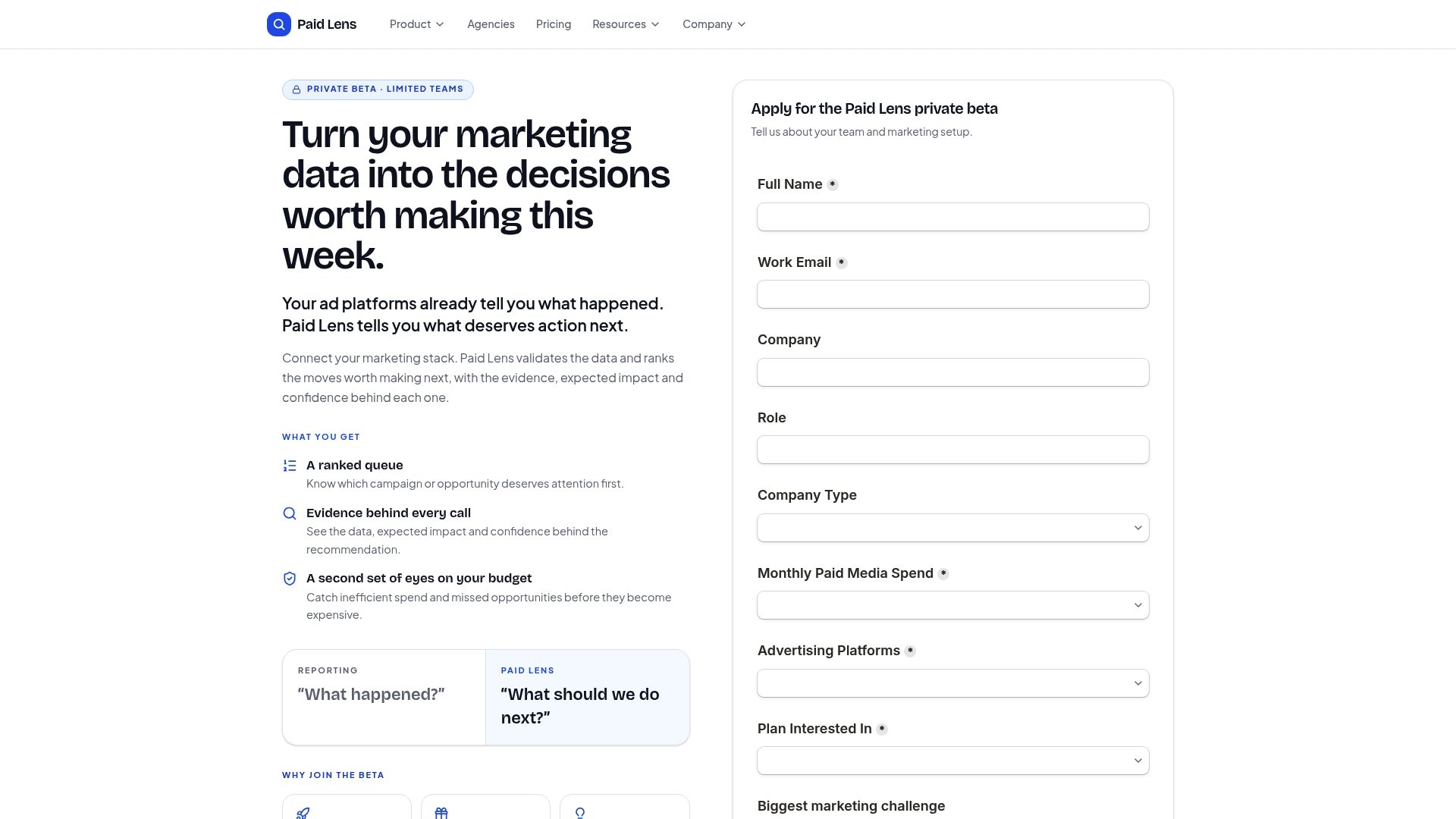
Instead of building your own middleware layer to reconcile CRM and campaign data, you get audit-ready attribution with the evidence behind every number already documented. That means fewer disputed numbers in your next pipeline review and a queue of prioritized actions instead of a pile of dashboards nobody has time to interpret. Check out the data connections page to see which platforms sync directly, and start a trial to see your own ranked recommendations within days, not months.
Sources
- What Is CRM Integration? | IBM
- Getting Started with CRM × Marketing Integration | Ficilcom
- Best marketing automation software (Zapier blog)
FAQ
What Does a CRM Do for Marketing?
A CRM stores the customer data, contact history, deal stage, purchase records, that marketing systems need to personalize campaigns and measure which efforts actually influence revenue.
What Are the Top CRM Integration Approaches?
The three main approaches are prebuilt connectors for fast setup, APIs and webhooks for full control, and iPaaS middleware for orchestrating complex, multi-system environments at scale.
What Are the Four Types of CRM?
CRM systems are generally grouped into operational (managing day-to-day sales and service processes), analytical (analyzing customer data for insights), collaborative (sharing customer information across teams), and strategic (focused on long-term customer relationship building).
What Are Some Examples of CRM Marketing?
Common examples include triggered welcome email sequences based on CRM signup data, dormant-customer reactivation campaigns triggered by inactivity fields, and account-based marketing audiences built directly from CRM account records rather than manual lists.
How Do I Know if My Integration Is Actually Working?
Track lead-to-opportunity conversion, revenue influenced by marketing, and LTV:CAC ratio; if campaign outcomes are flowing back into the CRM automatically and those numbers are improving, the integration is doing its job.