90 Day Marketing Data Pipeline for Marketing Managers: Build vs Buy
Practical build vs buy rules for marketing managers. A 90 day roadmap, checklist, and clear guidance on when to own transformation and outsource connectors.

90 Day Marketing Data Pipeline for Marketing Managers: Build vs Buy
A marketing data pipeline automates moving marketing data into a warehouse, modeling it, and activating those models back into marketing tools: extract, load, transform, activate. Buy the connectors and activation layer, since maintaining API changes is not where your team adds value. Own the transformation layer, because that’s where business logic like attribution windows and channel definitions actually lives.
TL;DR:
- Managing connector maintenance is essential, as built-in APIs often change unexpectedly, making managed connectors the best choice for ingestion.
- Transformation logic, including attribution and business rules, should be owned internally to preserve control over decision-specific models.
- Deploying the pipeline in daily or hourly batches is sufficient for most needs, with real-time updates reserved for high-stakes scenarios like bid adjustments.
- Building a pipeline can be accomplished within a 90-day timeline by focusing on core sources and use cases, avoiding overextension in the initial phase.
- Most teams should buy connectors and activation tools but keep transformation logic in-house to retain flexibility and control over business-specific metrics.
Table of Contents
- What Is a Marketing Data Pipeline and Do You Actually Need One?
- Inside the Pipeline: Ingest, Load, Transform, Activate
- Build vs. Buy, Layer by Layer
- Where Pipelines Break, and How to Fix Each One
- The Technology Stack: What Each Layer Needs to Do
- Your 90-Day Pipeline Roadmap
- Why Most Teams Get the Buy-vs-Build Split Backward
- Turn Your Pipeline Output Into Ranked Actions
- Sources
- FAQ
What Is a Marketing Data Pipeline and Do You Actually Need One?
A marketing data pipeline is the automated system that pulls performance data out of ad platforms, CRMs, and web analytics tools, cleans and standardizes it, and delivers it somewhere useful: a dashboard, an attribution model, or back into an ad platform as an audience. It replaces the manual export-and-blend routine that eats a marketing analyst’s Monday morning.
Three jobs justify building one. First, attribution: stitching together ad spend, clicks, and revenue across platforms that were never designed to talk to each other. Second, executive reporting: giving leadership one number for return on ad spend instead of five spreadsheets that disagree. Third, activation: pushing refined audiences (high-value customers, churn risks, lookalikes) back into Meta, Google, or your CRM without a person copying CSVs by hand.
Ownership matters more than most teams admit upfront. When marketing ops owns the pipeline, it moves fast but often lacks version control discipline. When a central data team owns it, governance improves but requests queue up behind engineering priorities. Neither is wrong, but pick one explicitly. A pipeline with no clear owner degrades within a quarter.
Run this checklist before committing budget:
- You pull data from three or more ad platforms and manually reconcile spend and conversions weekly.
- Your attribution numbers change depending on who built the report.
- Leadership asks for a metric you can’t answer without exporting five tools first.
- You want to push segments (retargeting lists, suppression lists) back into ad platforms automatically.
- Your current process breaks every time a platform changes its export format or API.
If two or more of these are true, you need marketing data integration that runs on a schedule, not a spreadsheet macro.
Inside the Pipeline: Ingest, Load, Transform, Activate
Every modern marketing data pipeline follows the same four-stage pattern, and understanding what happens at each stage tells you where to spend engineering time and where to just buy a subscription.
- Ingest. Connectors pull raw data from ad platforms, CRMs, email tools, and ecommerce systems. Integration methods here range from direct APIs to ETL/ELT tools, change data capture, and middleware, each trading off latency, complexity, and how much maintenance falls on your team, as NetSuite’s breakdown of marketing data integration lays out. The output is raw, unmodified data landing in staging tables.
- Load. Raw data moves into a warehouse rather than a data lake, because warehouses store structured, analytics-ready datasets while lakes hold unstructured dumps better suited to data science than daily reporting. The warehouse becomes your system of record.
- Transform. This is where raw exports become business metrics. You define what “qualified lead” means, apply attribution logic, deduplicate records, and run schema tests and freshness checks so a broken feed doesn’t silently corrupt your dashboards. The output is a standardized, versioned data model.
- Activate. Modeled segments and metrics flow back out through reverse ETL, syncing an audience of “high LTV customers who haven’t purchased in 60 days” straight into your ad platform’s custom audience tool.
The whole sequence follows an ELT-to-activation flow rather than traditional ETL, and the order matters. Transforming after loading (ELT) means your warehouse holds the raw truth, so when your attribution logic changes, you rerun a model instead of re-extracting from six APIs again. Most marketing teams run this in daily or hourly batches. Add a streaming layer such as Kafka or change data capture only if you genuinely need sub-minute activation, like adjusting bids in real time during a flash sale. For everyone else, batch is simpler, cheaper, and easier to debug.
Build vs. Buy, Layer by Layer
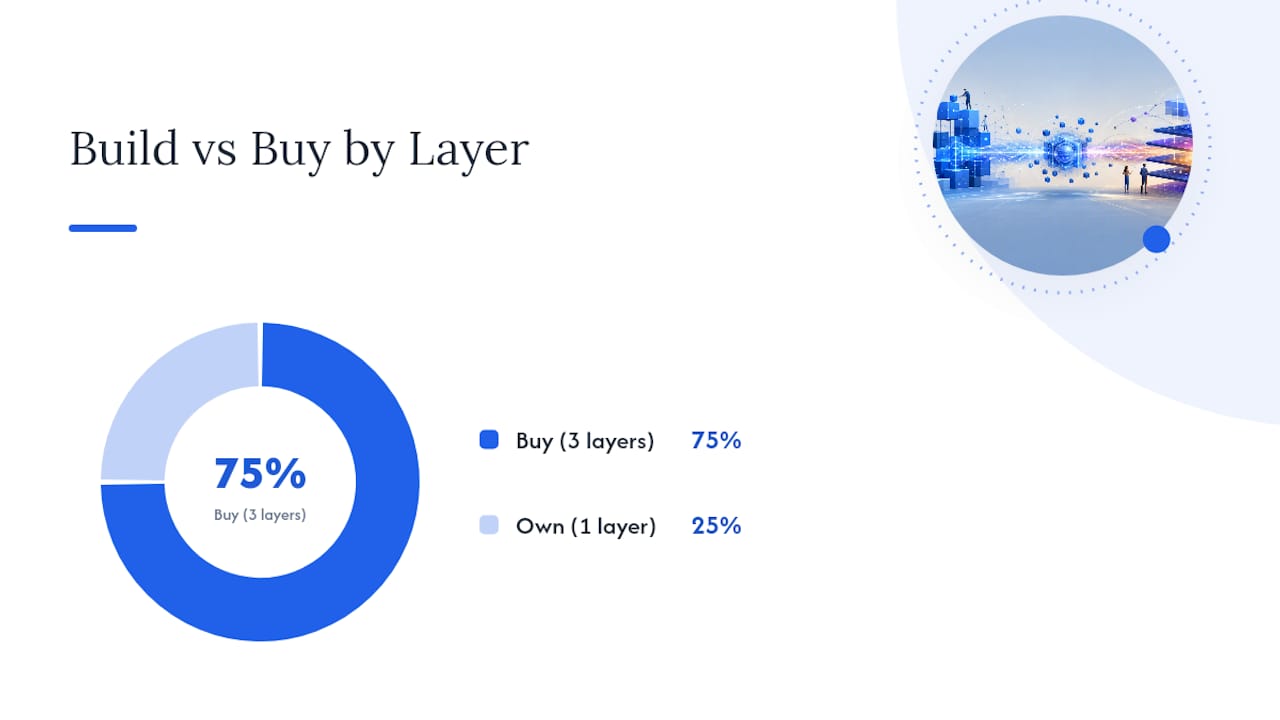
The build-versus-buy question isn’t one decision. It’s four, one for each stage, and the right answer flips depending on the layer.
- Ingestion: Buy. Managed connectors handle the constant API churn that ad platforms introduce, often without notice. Building your own connector for Meta or Google Ads means someone on your team fixes it every time the platform changes its schema, which happens more often than any vendor’s release notes will admit. Time to market for a managed connector: days. For a custom one: weeks, plus ongoing upkeep.
- Warehouse: Buy, but choose carefully. Cloud warehouses are commodity infrastructure at this point. The decision that matters isn’t which vendor, it’s whether you’re locking modeled data into a proprietary format you can’t export later.
- Transform: Own it. This is where attribution windows, channel groupings, and revenue definitions live, and those are judgment calls specific to your business. A common pattern among practitioners is keeping transformation in-house precisely because it encodes decisions no vendor can make for you, while buying the maintenance-heavy layers around it.
- Activation: Buy. Reverse ETL tools that sync warehouse data to ad platforms and CRMs are mature and cheap relative to the engineering hours it takes to build and maintain custom sync jobs.
Total cost of ownership rarely shows up in the sticker price. A “free” open-source connector costs nothing until it breaks during a product launch and nobody on your team knows the codebase. A managed tool costs a monthly fee but shifts that maintenance risk elsewhere. Weigh the subscription cost against the hours your team would otherwise spend babysitting brittle scripts.
Vendor lock-in matters most at the transformation and warehouse layer, less at ingestion. If your dbt models and business logic live in version-controlled code, you can swap the underlying warehouse with real effort but not a rebuild. If you buy an all-in-one platform that hides its transformation logic in a proprietary interface, migrating later means starting over.
Where Pipelines Break, and How to Fix Each One
Every marketing data pipeline eventually breaks, usually in one of four predictable places. Knowing which one hit you cuts debugging time from hours to minutes.
Data quality issues top the list. A platform changes a field name, a currency conversion drifts, or someone fat-fingers a UTM parameter, and suddenly your dashboard shows revenue that doesn’t exist. Real-time validation, schema tests, and anomaly detection catch most of this before it reaches a report. Practical fixes:
- Run dbt tests on every model build to catch null values and type mismatches before they propagate.
- Set freshness checks that alert you when a source hasn’t updated in the expected window.
- Deduplicate at load time, not after the fact, since retroactive cleanup is where errors compound.
Connector and API failures come next. Ad platforms change endpoints, deprecate fields, and rate-limit without warning. Connector fragility and schema churn are the single most common cause of silent pipeline failures. Monitor connector health directly, build automated retries with back off, and set alerts for consecutive sync failures rather than discovering a gap three weeks later.
Identity resolution is the quiet headache. Matching an anonymous website visitor to a CRM contact to an ad click requires a matching key, and most teams end up choosing between deterministic matching (exact email or ID match, fewer false positives, more unmatched records) and probabilistic matching (broader coverage, some noise). Pick deterministic when accuracy for revenue reporting matters more than coverage.

Latency trips up teams chasing real-time everything. Most reporting doesn’t need it. Reserve streaming infrastructure for genuine real-time use cases like dynamic bid adjustments, and let everything else run on a daily batch.
Pro Tip: Before adding a new connector, write down which specific decision it will inform. If you can’t name one, you’re building a pipeline for a report nobody will read.
The Technology Stack: What Each Layer Needs to Do
Picking tools gets easier once you separate what a layer must do from which specific vendor does it. The category matters more than the brand name at this stage.
Managed SaaS connectors should handle authentication refresh, schema drift, and rate limits without your intervention. Custom connectors make sense only for a source with no existing integration, and even then, budget for ongoing maintenance, not a one-time build.
The warehouse should be your single source of truth for modeled marketing metrics, not a lake, not a spreadsheet, not the ad platform’s native reporting UI, which will disagree with your CRM every time. Popular choices include Snowflake, BigQuery, and Redshift; the specific pick matters less than committing to one.
Transformation deserves layered schemas: raw data as it lands, a standardized layer that resolves naming and format differences, and a business layer that encodes metric definitions your executives actually see. Version-controlled models using a tool like dbt prevent two analysts from quietly building conflicting definitions of “conversion.”
Reverse ETL tools sync your business-layer models back to ad platforms, CRMs, and ESPs on a schedule matched to your activation needs, usually hourly or daily rather than instant. Server-side tracking setups, similar to what TrackAff provides for Meta conversion data, improve the accuracy of what enters the pipeline in the first place, which matters more than any downstream fix.
Monitoring needs to answer one question fast: did every connector run, and did the numbers land where expected? A significant portion of a pipeline’s first-year maintenance time typically goes to fixing connector and schema issues rather than building new features, which is exactly why the buy decision at the ingestion layer saves real hours.
- Alert on sync failures within the hour, not the next morning.
- Track row counts against historical baselines to catch silent data loss.
- Log every schema change a source platform pushes, even minor ones.
Your 90-Day Pipeline Roadmap
Building a marketing data pipeline doesn’t require a year-long project. Most teams can get a functioning version live in one quarter if they scope tightly.
- Inventory your sources (week 1). List every platform you pull data from today, how you currently export it, and which metrics leadership actually asks for. Cut anything nobody uses.
- Define your MVP (week 2). Pick two or three sources and one use case, usually spend-versus-revenue reporting, rather than trying to solve attribution, activation, and dashboards simultaneously.
- Stand up ingestion and warehouse (weeks 3 to 6). Connect managed connectors, load into your chosen warehouse, and validate raw data lands correctly before writing a single transformation.
- Build the first models (weeks 7 to 10). Write your core business logic in version-controlled dbt models, covering the metrics from step 2.
- Add activation and monitoring (weeks 11 to 12). Set up reverse ETL for your highest-value segment and turn on freshness alerts.
- Expand over months 3 to 9. Add remaining sources, build out CRM integration, and layer in more advanced attribution once the foundation is stable.
Resourcing typically means one analytics engineer or a marketing ops lead with SQL skills, plus vendor subscriptions for connectors and warehouse compute. Cost drivers are the number of source connectors, warehouse compute volume, and how much custom transformation logic your attribution model demands. Review the checklist for identifying whether you need a pipeline at all before committing to the full roadmap.
Why Most Teams Get the Buy-vs-Build Split Backward
Most marketing teams build the wrong layer. They spend months writing custom connectors for Meta and Google Ads, then leave attribution logic as an ad hoc spreadsheet formula that changes every time someone new joins the team. That’s the split flipped upside down. Connectors are commodity work; attribution logic is your actual competitive edge in understanding what’s driving revenue.
The real gap isn’t technical, it’s organizational. Teams build pipelines that dump clean numbers into a dashboard and then still spend hours a week deciding what to actually do with them. A dashboard tells you what happened. It rarely tells you what to change tomorrow morning, ranked by expected impact. That’s the step most marketing data pipeline projects stop short of, and it’s the expensive one to skip, because a beautifully modeled dataset that nobody acts on is just a well-organized cost center.
Paid Lens exists for that last mile: it connects to your ad platforms, validates the data quality your pipeline is producing, and turns modeled performance data into a ranked queue of recommended actions with confidence scores attached, so your team acts on the highest-impact change first instead of guessing.
— Shraddha
Turn Your Pipeline Output Into Ranked Actions
Getting clean data into a warehouse is only half the job. The harder part is deciding what to do with it every single day, and that’s where most teams lose the time they just saved. Paid Lens connects directly to your ad platforms, validates the data your pipeline produces, and turns it into a ranked queue of recommendations with confidence scores, so your team spends less time reconciling numbers and more time acting on the ones that actually move revenue.
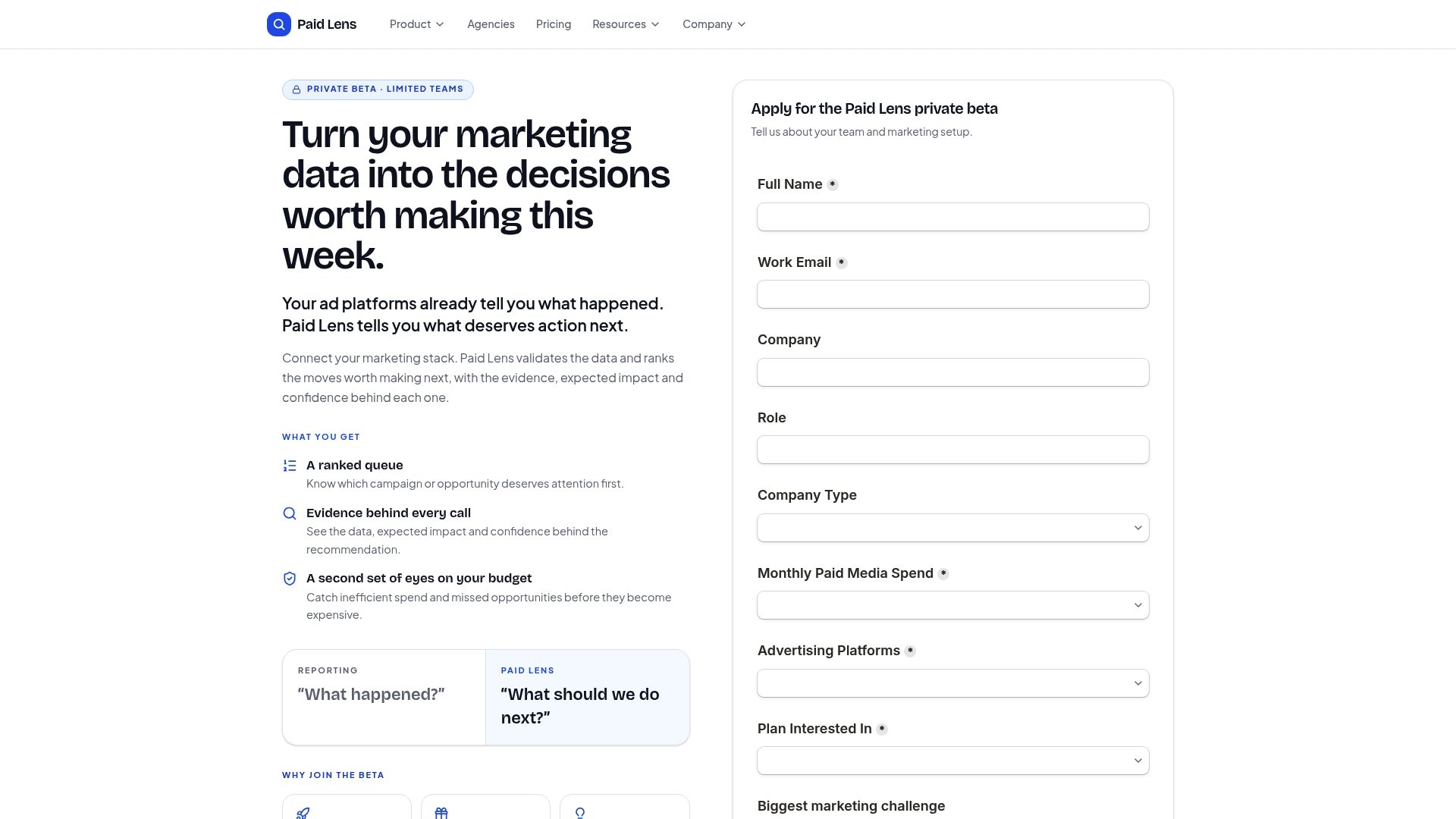
If you’re evaluating connector options for ad platforms, GA4, and your CRM, Paid Lens plugs into your existing stack rather than replacing it. And if attribution is the piece your current setup can’t audit with confidence, the attribution feature built for transparency shows exactly how each number was calculated. Start by connecting your top two ad platforms and see what the recommendation queue surfaces in your first week.
Sources
- Marketing Data Pipelines in 2026: An ELT-to-Activation Guide
- Marketing data integration: Types, Benefits & Best Practices | NetSuite
- Marketing data integration: Types, uses, and examples (2026) - Shopify
- Marketing Data Management: Unlocking the Power of Data | Rivery
FAQ
What is a marketing data pipeline?
It’s the automated system that extracts marketing data from ad platforms and CRMs, loads it into a warehouse, transforms it into standardized metrics, and activates modeled segments back into marketing tools.
What is an example of a data pipeline?
A common example pulls daily spend and conversion data from Google Ads, Meta, and a CRM into a warehouse, models blended return on ad spend, then pushes a “high-value lead” segment back into Meta as a custom audience through reverse ETL.
What is a data pipeline vs. ETL?
ETL transforms data before loading it into storage, while a modern data pipeline typically uses ELT, loading raw data first and transforming it afterward inside the warehouse, which makes it easier to rerun models without re-extracting from every source.
How is a marketing data pipeline different from a sales pipeline?
They share the word “pipeline” but nothing else: a sales pipeline tracks deal stages a prospect moves through, while a marketing data pipeline is the technical system moving and modeling campaign data.
Should a small marketing team build or buy its pipeline?
Buy the connectors and activation layer regardless of team size, since maintaining API integrations rarely justifies the engineering hours; own the transformation logic, even with a small team, because that’s where your specific attribution and reporting decisions live.